+1(862)246-6249
 Contact Support
 Email Us
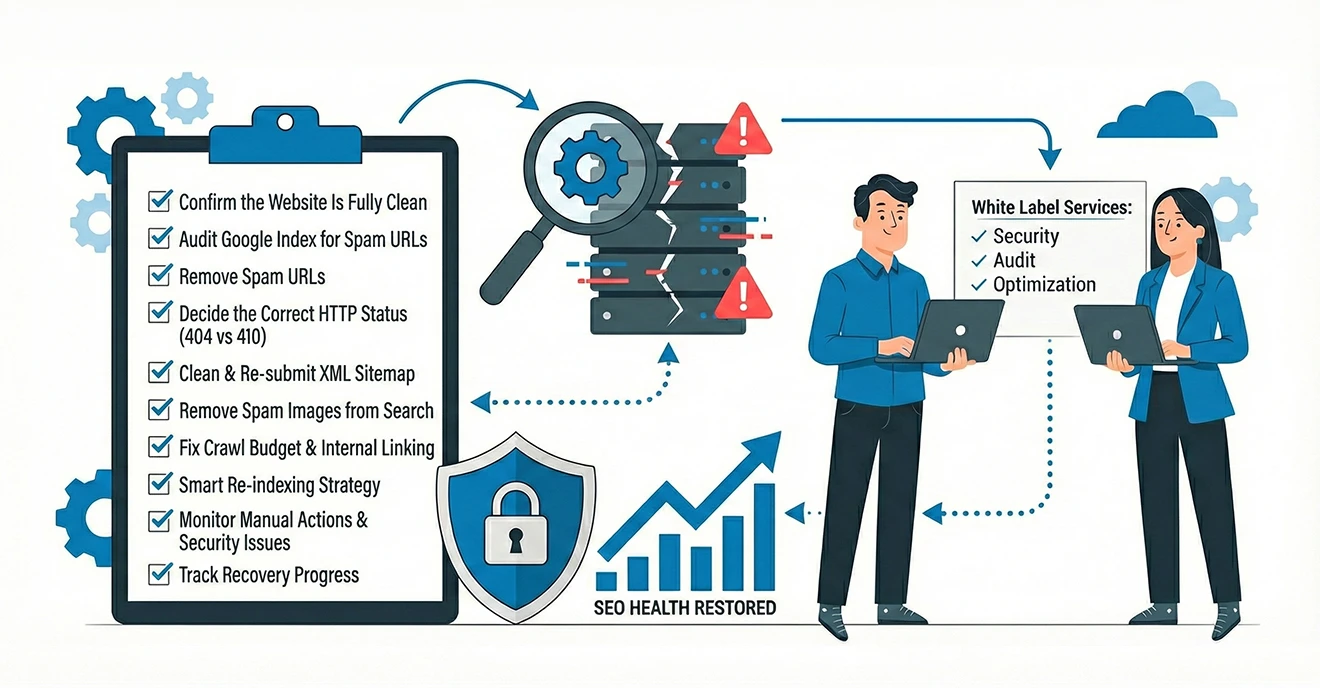
A Practical Guide for Businesses & White Label SEO Partners
A website hack doesn’t end when the malware is removed. In fact, SEO recovery begins only after security cleanup. If hacked URLs, spam pages, or injected images remain indexed, your rankings, traffic, and crawl budget will continue to suffer.
At HMMBiz Web Solutions, we handle post-hack SEO recovery not just for our clients, but also for agencies using our White Label SEO Services. This checklist outlines the exact steps required to restore search visibility and rebuild Google’s trust after a website hack.
Table of Contents
- Why SEO Recovery After a Hack is Critical
- Complete SEO Recovery Checklist After a Website Hack
- Confirm the Website Is Fully Clean
- Audit Google Index for Spam URLs
- Remove Spam URLs
- Decide the Correct HTTP Status (404 vs 410)
- Clean & Re-submit XML Sitemap
- Remove Spam Images from Search
- Fix Crawl Budget & Internal Linking
- Smart Re-indexing Strategy
- Monitor Manual Actions & Security Issues
- Track Recovery Progress
- Why Agencies Use White Label SEO Services for Hack Recovery
- Final Thoughts
Why SEO Recovery After a Hack is Critical
When a website is hacked, search engines may:
- Index thousands of spam URLs
- Devalue the domain’s trust
- Reduce crawl frequency
- Trigger ranking drops across clean pages
Without a structured SEO recovery process, even a fully cleaned website may fail to recover organic performance.
Complete SEO Recovery Checklist After a Website Hack
1. Confirm the Website Is Fully Clean (Before SEO Work)
SEO recovery should never start until security is confirmed.
Checklist:
- Restore a clean backup
- Remove injected scripts, files, and database entries
- Update CMS core, plugins, and themes
- Reset admin, FTP, database, and hosting credentials
- Enable firewall and malware monitoring
👉 SEO cleanup without security hardening risks reinfection.
2. Audit Google Index for Spam URLs
Once the site is secure, inspect Google’s indexed data.
Actions:
- Open Google Search Console
- Review Indexing → Pages
- Identify:
- Spam URLs
- Auto-generated folders
- Pages not present in CMS
- Parameter-based spam pages
This step defines the scope of SEO damage.
3. Remove Spam URLs from Google Search
Immediate de-indexing is crucial to stop further damage.
Steps:
- Use Indexing → Removals → Temporary Removals
- Submit hacked URLs for quick exclusion
- Use Google’s Remove Outdated Content tool where applicable
Temporarily hides spam pages
Signals cleanup to Google
Protects crawl budget
4. Decide the Correct HTTP Status (404 vs 410)
A critical SEO decision many sites get wrong.
Best practice:
- Use 410 (Gone) for permanently removed spam URLs
- Use 404 only if URL removal is temporary
410 helps Google:
- Drop spam URLs faster
- Stop repeated crawling attempts
5. Clean & Re-submit XML Sitemap
Never reuse an infected sitemap.
Checklist:
- Delete the old sitemap from Search Console
- Generate a clean sitemap with only valid URLs
- Submit the updated sitemap
- Monitor crawl activity and indexing trends
This helps Google relearn your site structure correctly.
6. Remove Spam Images from Google Image Search
Hackers often inject spam images that continue ranking even after page cleanup.
Actions:
- Go to Search Console → Removals
- Clear cached image URLs
- Verify image sitemap contains only legitimate assets
This step is essential for brand protection.
7. Fix Crawl Budget & Internal Linking
Spam URLs waste crawl budget and delay recovery.
SEO fixes:
- Remove internal links pointing to hacked URLs
- Ensure clean navigation structure
- Block irrelevant parameters via robots.txt (if required)
- Improve internal linking to priority pages
This helps search engines focus on valuable content.
8. Smart Re-indexing Strategy (Avoid Mass Submissions)
One of the biggest SEO mistakes post-hack is requesting indexing for every URL.
Best approach:
- Request re-indexing only for:
- Homepage
- Core service pages
- High-value landing pages
- Allow Google to naturally crawl remaining pages via sitemap
This prevents crawl overload and speeds up trust recovery.
9. Monitor Manual Actions & Security Issues
Always check:
- Manual Actions tab
- Security Issues section
If manual action exists:
- Follow Google’s remediation steps
- Submit a reconsideration request only after full cleanup
10. Track Recovery Progress Weekly
SEO recovery is gradual.
Track:
- Indexed page count
- Crawl stats
- Ranking stabilization
- Organic traffic trends
Most sites see improvement within weeks, but full recovery may take months depending on severity.
You may like to read this:
Website Hacked? Here’s How to Recover and Fix Google Indexing
Why Agencies Use White Label SEO Services for Hack Recovery
Post-hack SEO recovery is time-sensitive, technical, and high-risk. Many agencies choose White Label SEO Services to:
- Handle complex indexing cleanup
- Avoid trial-and-error mistakes
- Deliver expert recovery under their own brand
- Scale without internal resource overload
At HMMBiz Web Solutions, we support agencies with:
- Anonymous SEO recovery execution
- Detailed reporting
- Safe, Google-compliant cleanup strategies
- Ongoing monitoring and prevention
Final Thoughts
A website hack impacts more than security; it directly affects SEO trust, rankings, and revenue. Without a structured SEO recovery checklist, businesses risk prolonged traffic loss and reputational damage.
Whether you’re a business owner or a digital agency supporting clients through White Label SEO Services, following a disciplined recovery process is the fastest way to restore visibility and credibility.